
Magnetic Separator Pick-Up Tool with Quick Release (Multiple Sizes)
- Arrives in 2 to 7 business days Printed in Auckland. $10 shipping, free over $75
- 14-day faulty refund If it arrives broken or misprinted, we reprint or refund it
- Secure checkout Card payments handled by Stripe
- Material
- High-Detail Resin (8K)
- Colour
- Grey
- Weight
- ~58 g
- Express shipping
- $20
More information
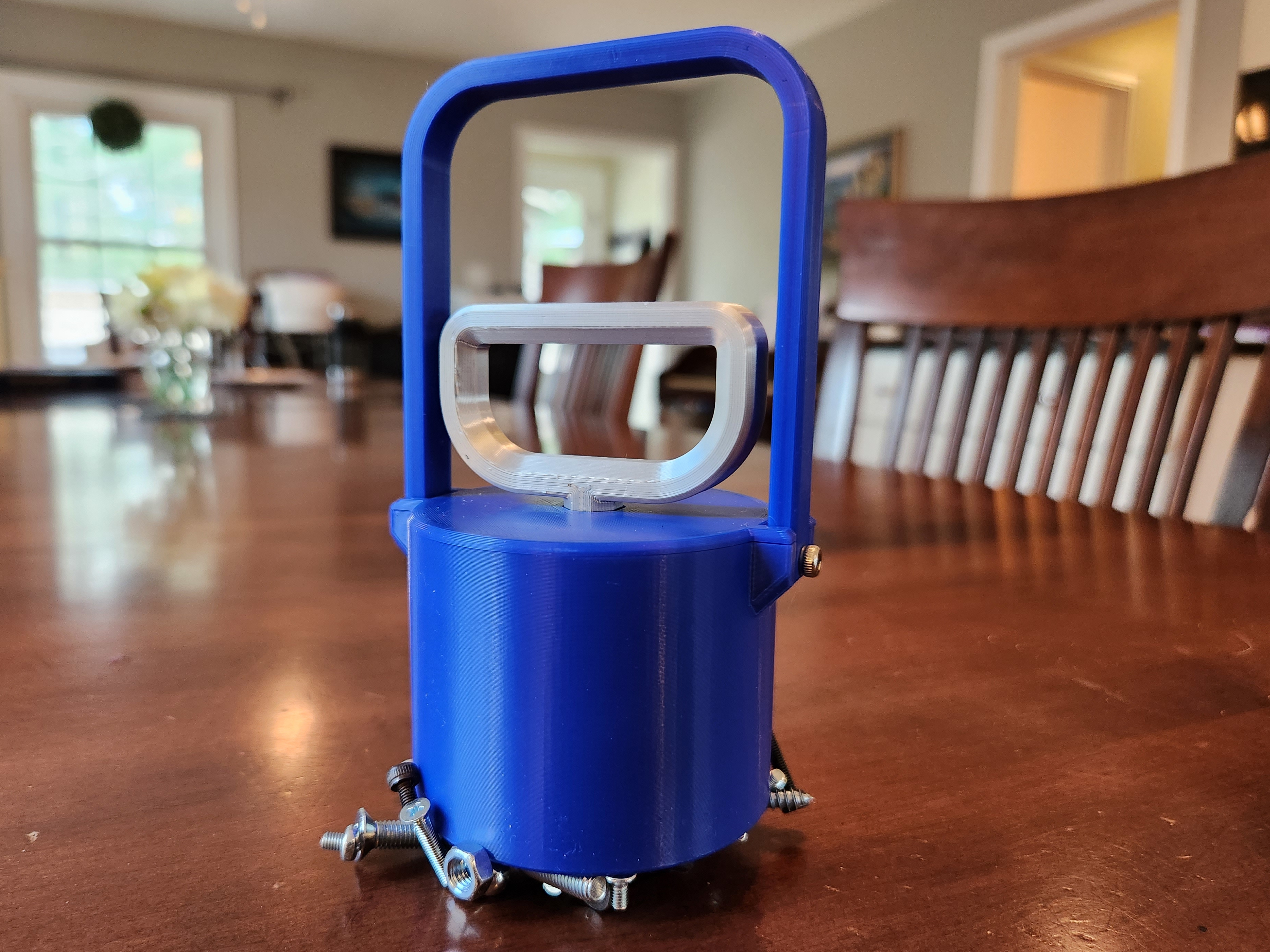
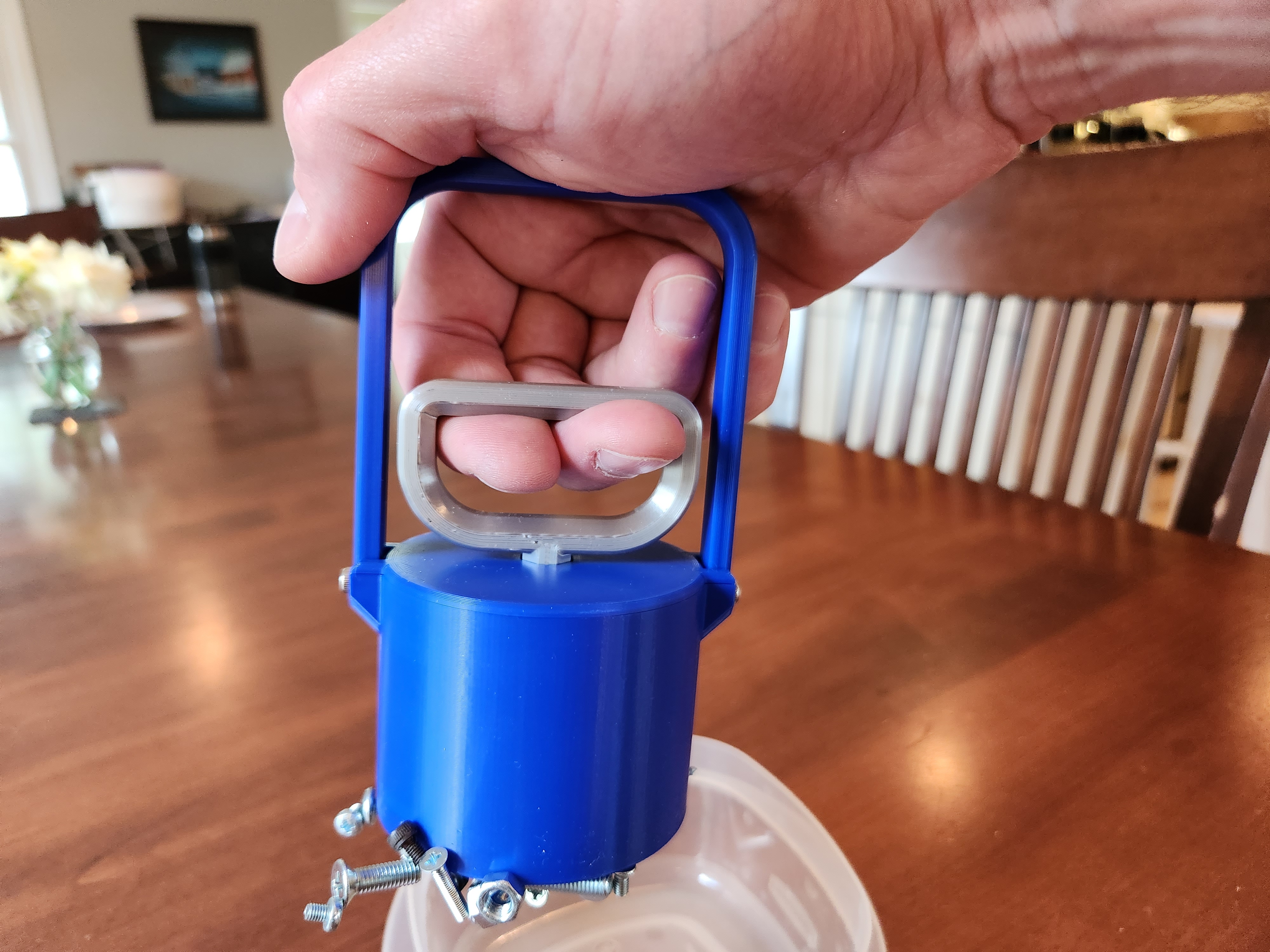
A must-have tool to help you conveniently pickup the various metal objects in your work space, and then easily drop them where they belong via the quick release handle (can also be used as a “transfer magnet”) .
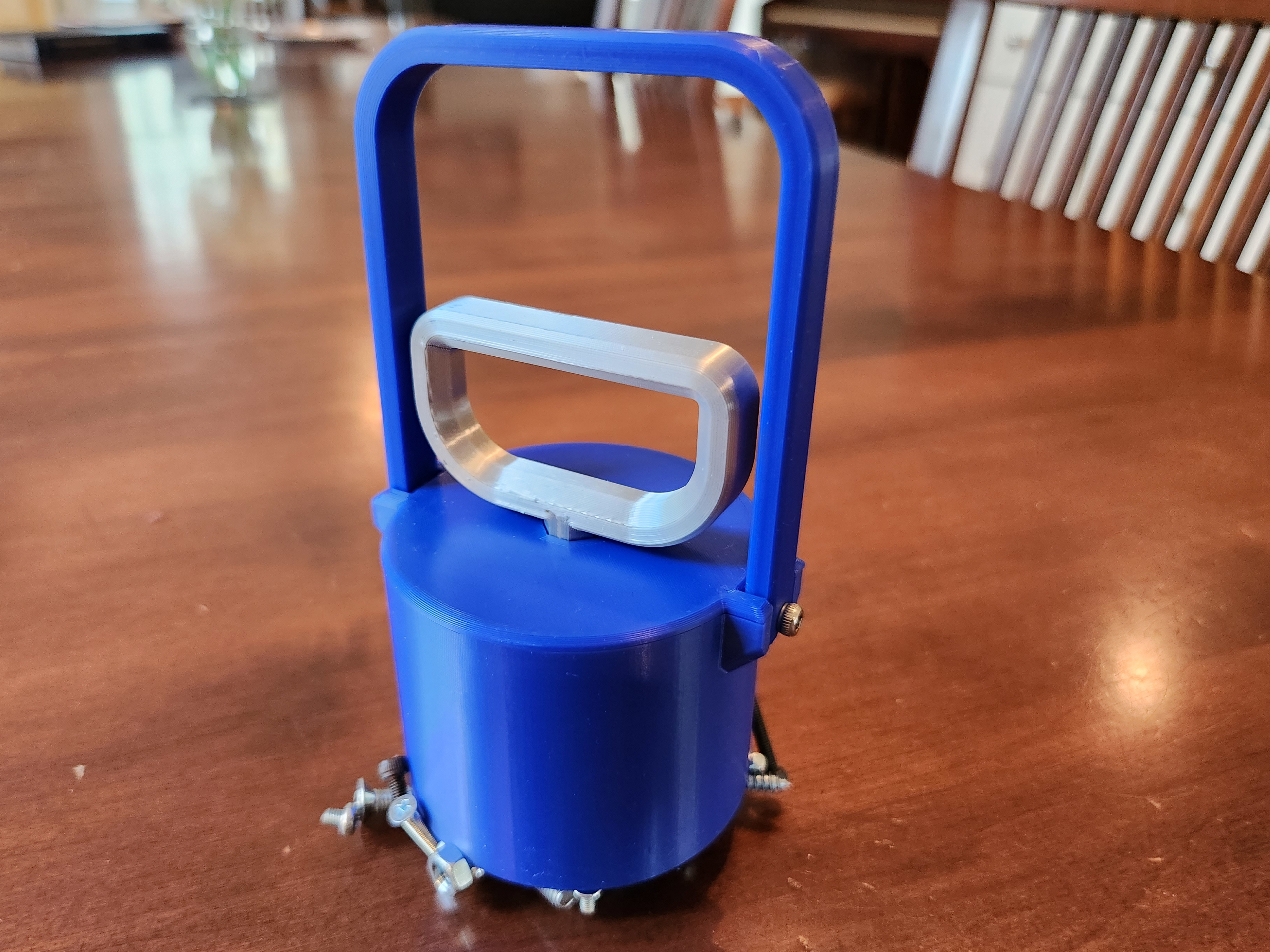
All parts are designed to be printed without supports at any layer height, and I'd recommend setting the “Vertical Shells → Perimeters” setting to 4. Both handles are designed to be printed on their back, and the “Top” piece is designed to be printed upside down. In addition to the individual STLs, I've also attached a “3MF” file that includes all of the parts in their correct orientations as well as the “gcode” file I used to print the one shown in the pictures on my Prusa Mini.
Two Sizes Available & Parametric Model
For the standard files (as shown in the pictures), you'll need a magnet that is 2.4 inches (~60 mm) in diameter with a center mounting hole, such as this one. (FWIW - the 50 lb pulling power on that one works quite well for this application.)
I've also uploaded files for a larger size that is designed for a magnet that is 3.2 inches (~80 mm) in diameter, such as this one (which at the moment is actually a little cheaper, go figure).
In addition, I've decided to share my parametric Fusion360 file, which you can use to generate these STLs for whatever magnet size you choose. Just open the attached “Transfer Magnet.f3d” file in Fusion360, go to the “Modify → Change Parameters” option, and then adjust the “Magnet_Diameter” and “Magnet_Height” parameters. (Or, if Fusion360 isn't your thing, just let me know in the comments what magnet size you'd like to use, and I'd be happy to generate the STLs for you.)
Assembly Tips & Pictures
• Slide the “Pull Handle” onto the “Top” piece, rotated so that the handle is lined up with the horizontally extended tabs on the top piece. • Attach the magnet to the bottom of the “Top” piece using a small wood screw or M3 bolt, up to 20 mm in length. (Note: if the head on your screw is too small, you can use a washer.) • Slide the handle and magnet into the “Case” piece, and orient the pull handle so that it lines up with the lift handle mounts on each side of the case. • Line up the clips on the “Top” piece with the gaps on the “Case” piece so that it drops into place, and then rotate the top piece counter-clockwise so that it lines up with the handle mounts as well. • Use two 8 mm M3 bolts to attach the “Lift Handle” piece to the case, by just letting the threads on the bolts self-tap into the provided mounting holes on the case.
Design and description by squinn , licensed CC-BY.
Frequently asked
How long does shipping take?
Magnetic Separator Pick-Up Tool with Quick Release (Multiple Sizes) is printed to order. Lead time is typically 1-3 business days plus 1-4 days NZ shipping. Standard NZ shipping is $10, free over $75.
What material is this printed in?
By default this is printed in High-Detail Resin (8K) at 0.025 mm layer height on an MSLA resin printer. Custom material and colour swaps are available, just leave a note at checkout.
Can I get this in a different colour?
Yes. Every product can be printed in any of the resin colours we stock, or hand-painted on request. Leave a note at checkout or email [email protected].
Do you ship outside of New Zealand?
Currently New Zealand only. Australian shipping is coming.
Who designed this?
Designed by an independent sculptor and licensed for commercial printing. The original is linked on this page.