Brackets & Mounts
Under Desk Mounting Brackets - QUBE 500
SKU 3DPW-pr-595997
$27.00NZD
In stock · Made-to-order resin · Ships from Auckland · Free shipping over $75
- Material
- High-Detail Resin (8K)
- Colour
- Grey
- Weight
- ~150 g
- Print time
- ~0 h
- Shipping
- $10 std · $20 express
- Lead time
- 1-3 d print + 1-4 d ship
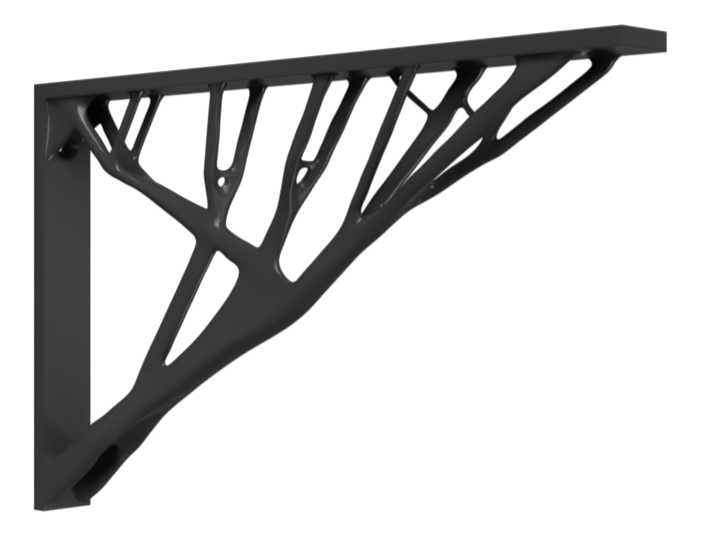
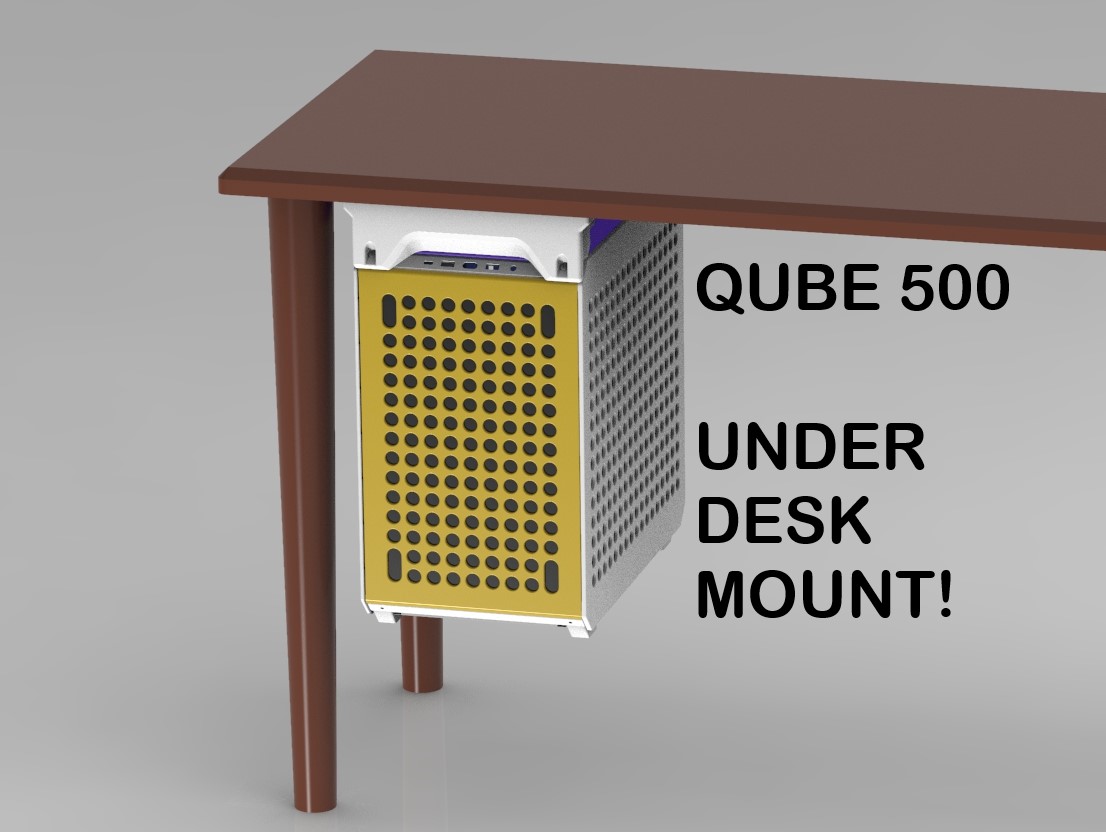
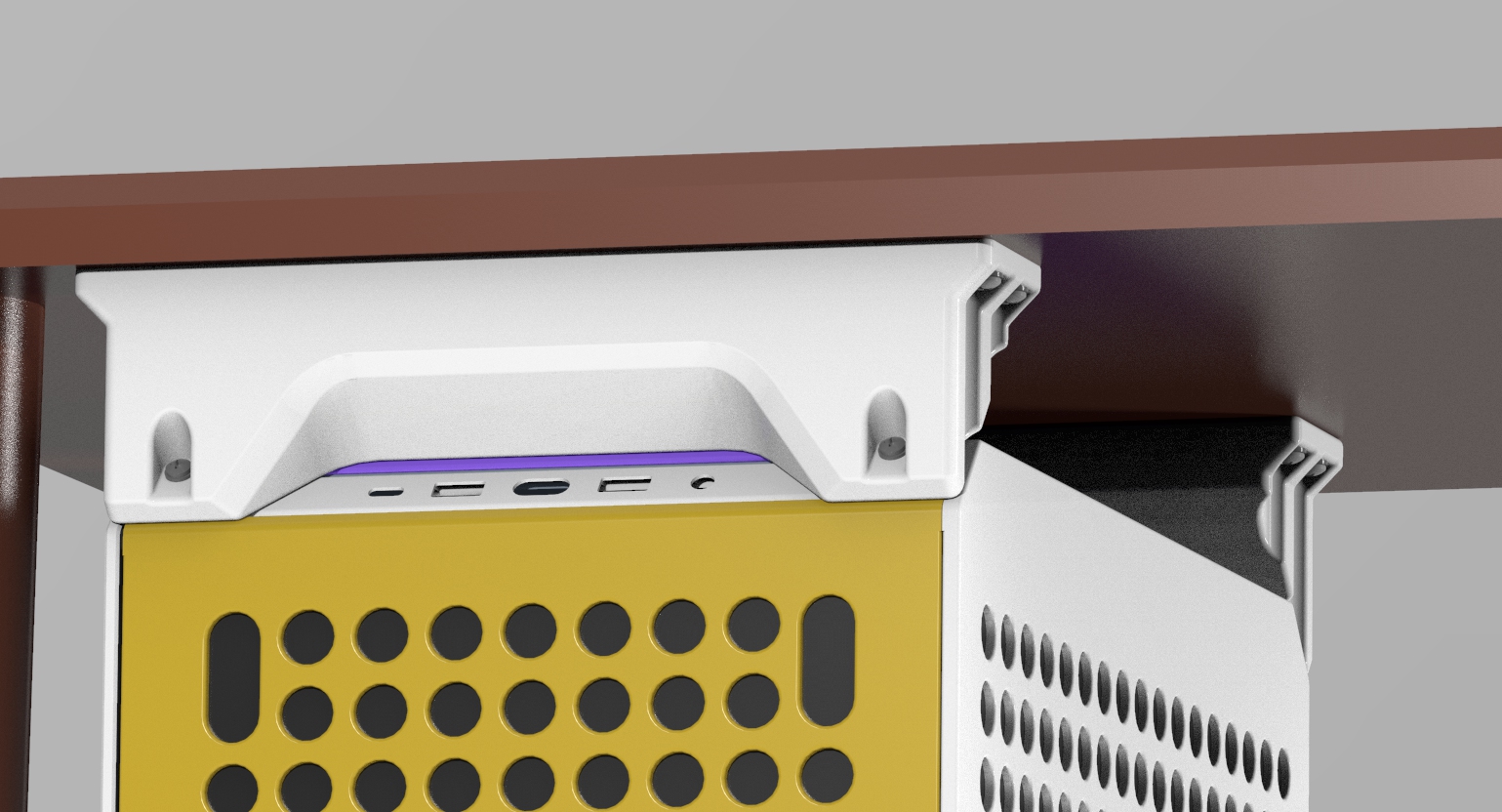
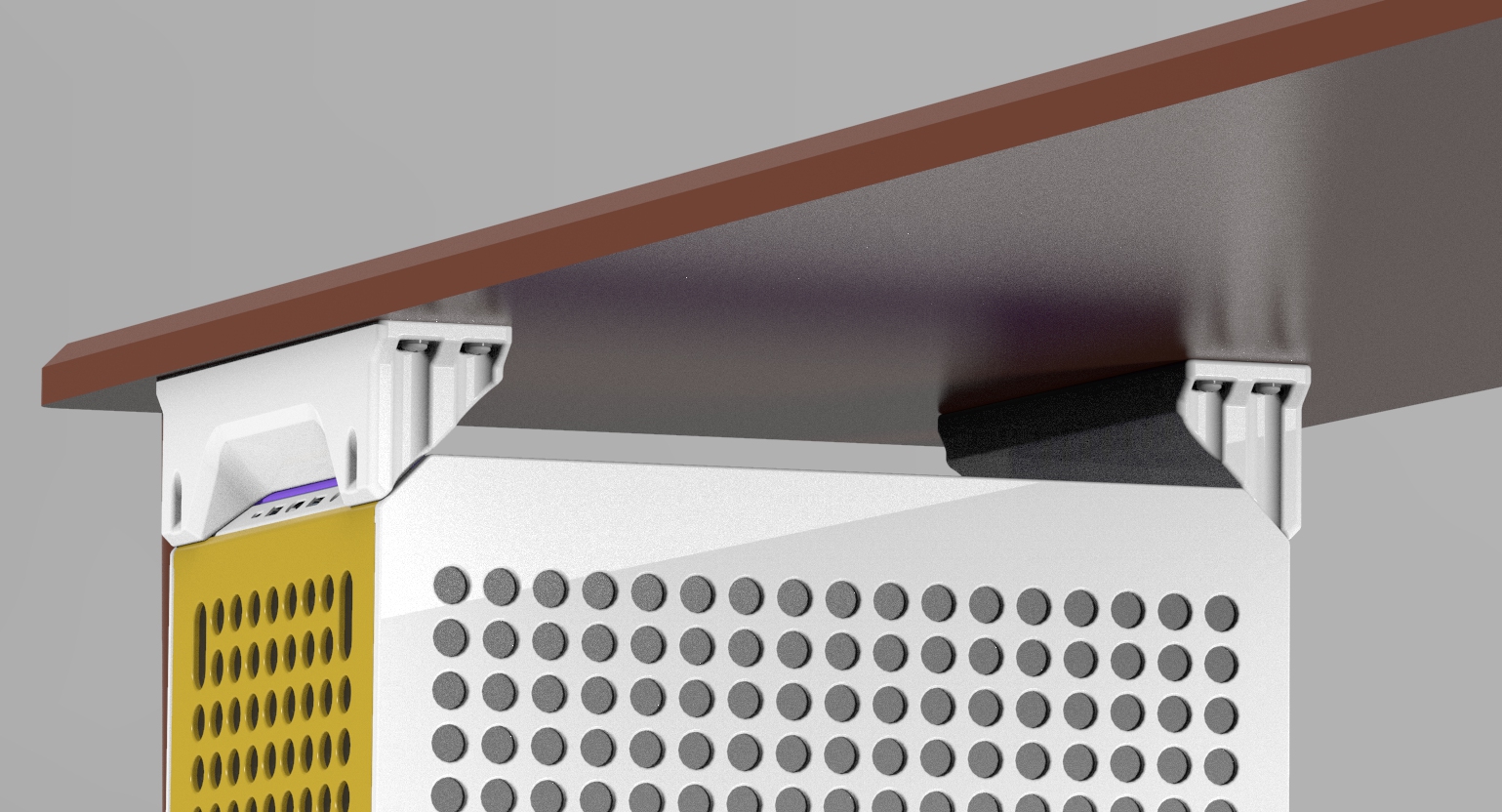
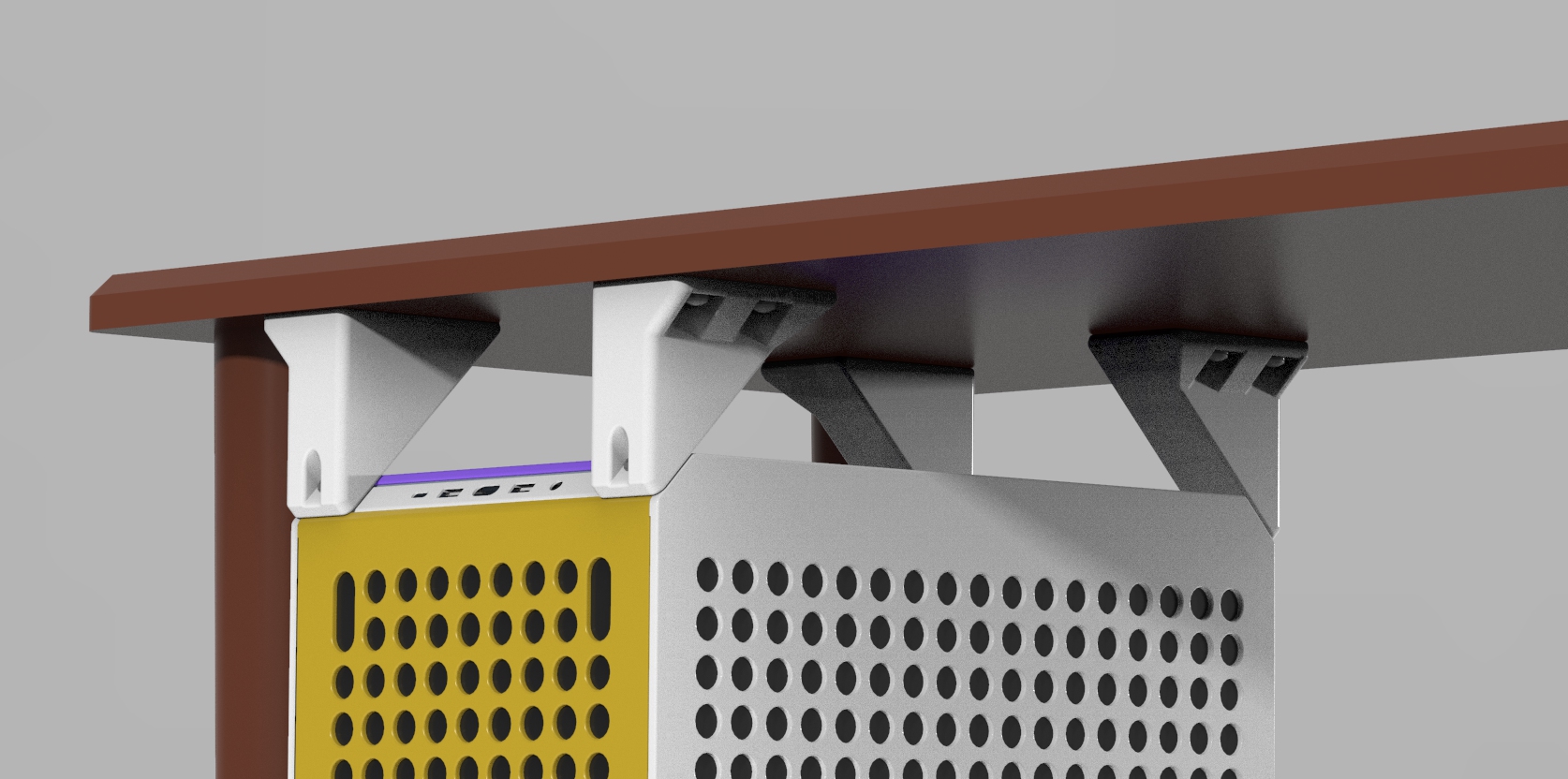
These are some bracket designs for holding a Master Cooler QUBE 500 PC case to the underside of a desk. This is ideal for people like me, who have an already cluttered standing desk and don't like cables reaching to the floor. There are two versions of the brackets available, a two-part design and a four-part design. Two-Part Design: These are larger, 248mm wide brackets that provide 5cm clearance between the top of the PC case and the desk. Two of these brackets are needed, but they are identical and print from the same model. Look for the “v1" model. If you can fit this on your bed I recommend using this design, as it is more robust and is going to be easier to install. Four-Part Design: These are smaller 55mm x 124.1mm wide brackets that will fit on most print beds and provide 7cm of clearance between the top of the PC case and the desk. Four of these brackets are needed, two of the “A” version and two of the “B” version. Look for the “v2” models. I'd only use this version if you can't fit the two-part design. Both designs attach using the four #6-32 threaded holes at the top corners of the QUBE 500. The same holes used by the handlebars. So, the carry handles will need to be removed. Print Settings Note: I would recommend placing the surface that touches the PC against the print plate. I know that doesn't seem like the best printing orientation, but 3D printed parts do not handle stresses perpendicular to their print layers well. This orientation ensures the best layer lines for high part strength. I printed this part fine with no supports in this orientation, here are the other settings I used… “0.2mm Speed” setting on Prusa MK30.4mm Nozzle20% InfillI up'ed the perimeters to 4 for better strengthPLAA Robust Shell Design The thick-walled shell design, inspired by several iterations of structural simulations, balances a cosmetically pleasing exterior with thick walls where it matters most for stress concentrations. All while minimizing the material required to print. With the settings I listed above I was able to print one of the two-part brackets in ~9 hours. And, it is in fact robust. I couldn't, in good conscience, upload a 3D print design for this purpose without knowing it was up to the task. So, empirical testing was needed. Forgive my janky setup. I did what I could, testing at more than 40 lbs per single bracket which would be 80 lbs in total. The part didn't even break a sweat, but I did learn my zipties can't take much more than that. Many of the consumer PC mounts available are rated in the 20-40 lbs range in total. So 80+ lbs is some healthy margin A Word of Caution: 3D printed parts can vary significantly in strength based on a number of factors, including; filament type and quality, print temperature, perimeter and infill settings, layer adhesion, etc. If you are suspicious of the print quality of your parts, please verify them before you trust them to hold your PC. Use Instructions The threaded holes on the QUBE 500 case are #6-32, but you will need 0.5 in. long screws with this bracket. Additionally, the holes for mounting to the desk are sized for #10 wood screws. I'd recommend you use washers with both. You should be able to find all of this at your local hardware store, but here are some McMaster parts for reference… https://www.mcmaster.com/93615A216/ https://www.mcmaster.com/92141A008/ https://www.mcmaster.com/91070A261/ https://www.mcmaster.com/92141A011/ The hole pattern on the underside of the desk is as follows (not to scale), note that the pattern is different between the two-part and four-part designs. Two-Part Holes Pattern: Four-Part Hole Pattern: Final Note: Please find a helping set of hands when trying to mount your PC. The best order of operations is probably to attach the brackets to your PC first, then the brackets to the desk second. It's not going to be easy for one person. Good luck, and hope this helps!
Tags: desk, master, cooler, bracket, 500, under, resin print, nz made, made to order
Design credit: Original design by FormFitPrint - licensed under CC-BY.
View original model + STL files on Printables ↗
View original model + STL files on Printables ↗
Frequently asked
How long does shipping take?
Under Desk Mounting Brackets - QUBE 500 is printed to order. Lead time is typically 1-3 business days plus 1-4 days NZ shipping. Standard NZ shipping is $10, free over $75.
What material is this printed in?
By default this is printed in High-Detail Resin (8K) at 0.025 mm layer height on an MSLA resin printer. Custom material and colour swaps are available, just leave a note at checkout.
Can I get this in a different colour?
Yes. Every product can be printed in any of the resin colours we stock, or hand-painted on request. Leave a note at checkout or email [email protected].
Do you ship outside of New Zealand?
Currently New Zealand only. Australian shipping is coming.
Who designed this?
Designed by an independent sculptor and licensed for commercial printing. The original is linked on this page.