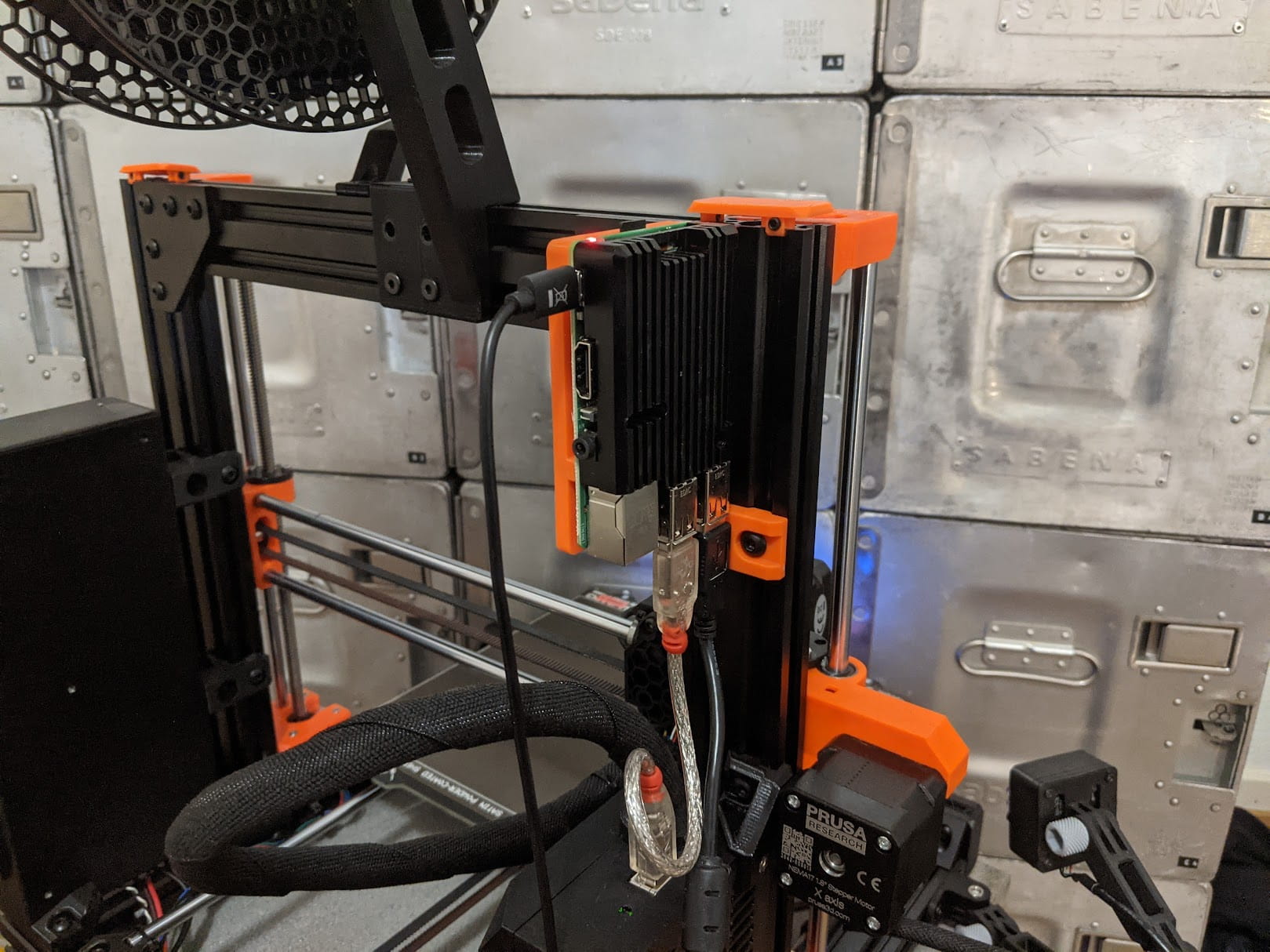
Armor Case Raspberry Pi Mount for Prusa Bear
- Arrives in 2 to 7 business days Printed in Auckland. $10 shipping, free over $75
- 14-day faulty refund If it arrives broken or misprinted, we reprint or refund it
- Secure checkout Card payments handled by Stripe
- Material
- High-Detail Resin (8K)
- Colour
- Grey
- Weight
- ~34 g
- Print time
- ~1.9 h
- Express shipping
- $20
More information
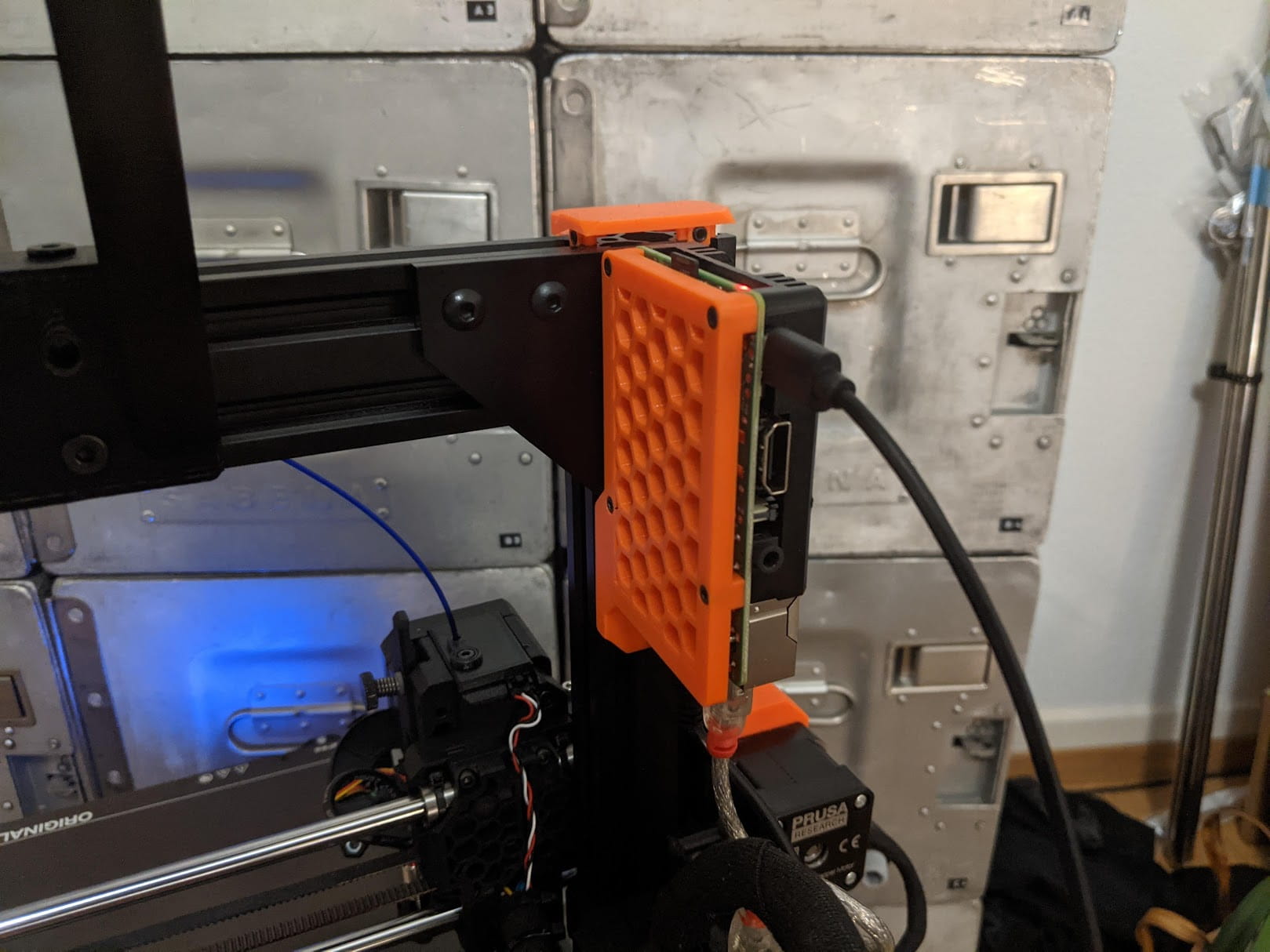
This is a Raspberry Pi mount for the Prusa Bear frame that works with heatsink type a.k.a. Armor cases, such as the Sertronics Armor case or the Joi-It Armor Case or any case of this type. It works with Raspberry Pi 3B, 4, and 5. You just have to have the right case for the Raspberry Pi you're using.
If you use the original MK3S+ frame check out the version for the original Prusa frame.
##
Features
• Works with Raspberry Pi 3B, 4, and 5
• Works with any type of Armor-style case that uses M2.5 screws. Just google “raspberry pi armor case”. All of them are compatible, including the actively cooled ones.
• Prusa Bear-style aesthetics
• Short path between Raspberry Pi and the electronics case allows very short USB cables
• STEP file available for easy remixing
Updates
V1.1 - 2024-03-26
• Improved mounting hole overhangs
• Replaced counterbore hole sacrificial layer with bridging layers
##
BOM
Qty
Description
Sourcing
1
Armor case for the Raspberry Pi (only top part needed)
Pimoroni, Amazon
4
M2.5x8mm Socket Head Cap Screws
Take from Armor case
1
M3x10mm Button Head Cap Screws
Aliexpress
1
M5 T-Nut for 2020 Extrusions (drop-in T-nuts or slide-in)
##
Assembly
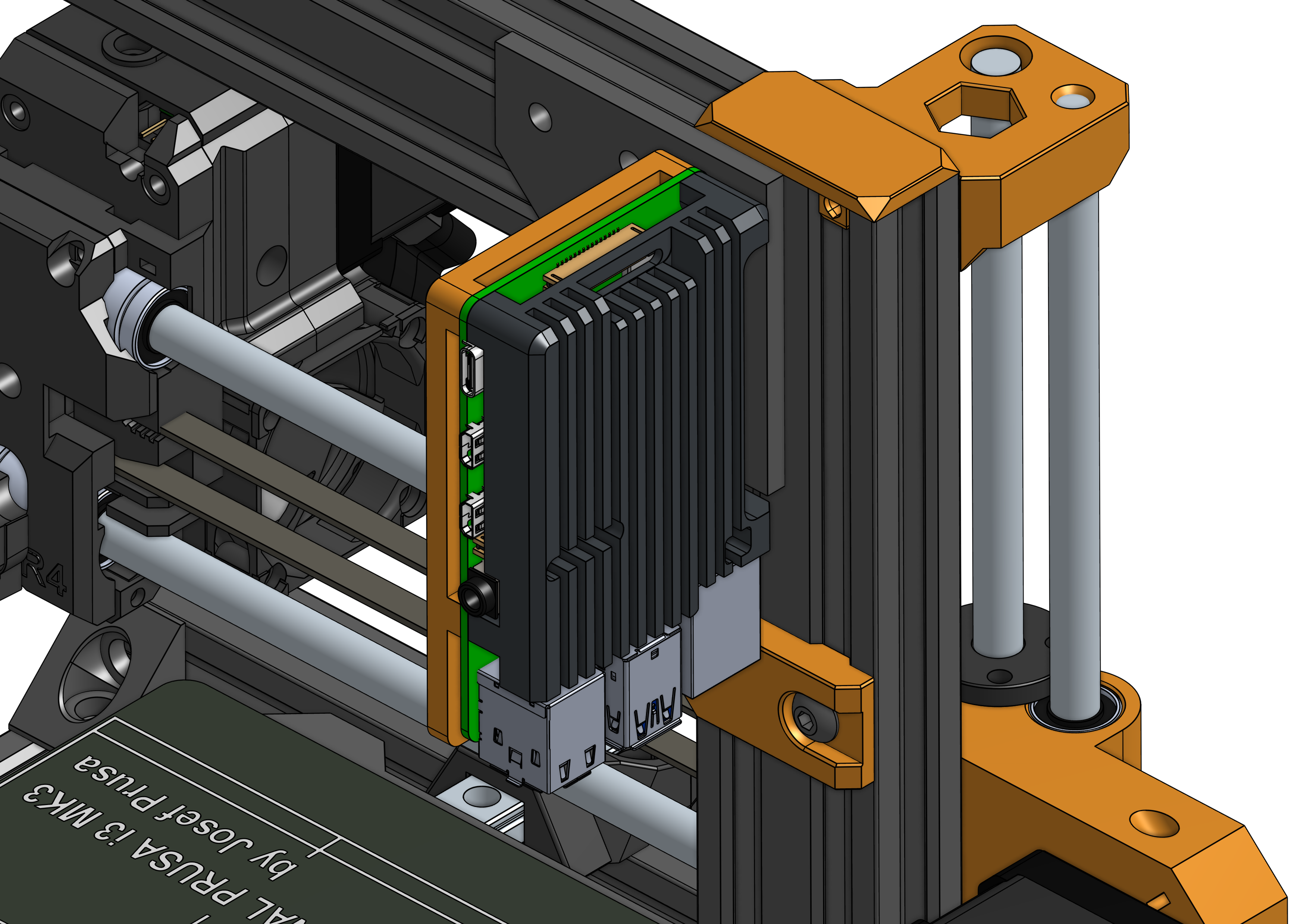
• Assemble the top part of the Armor case and the mount using the M2.5 screws so that the Raspberry Pi is sandwiched between them as shown in the picture below. You don't need the bottom of the Armor case.
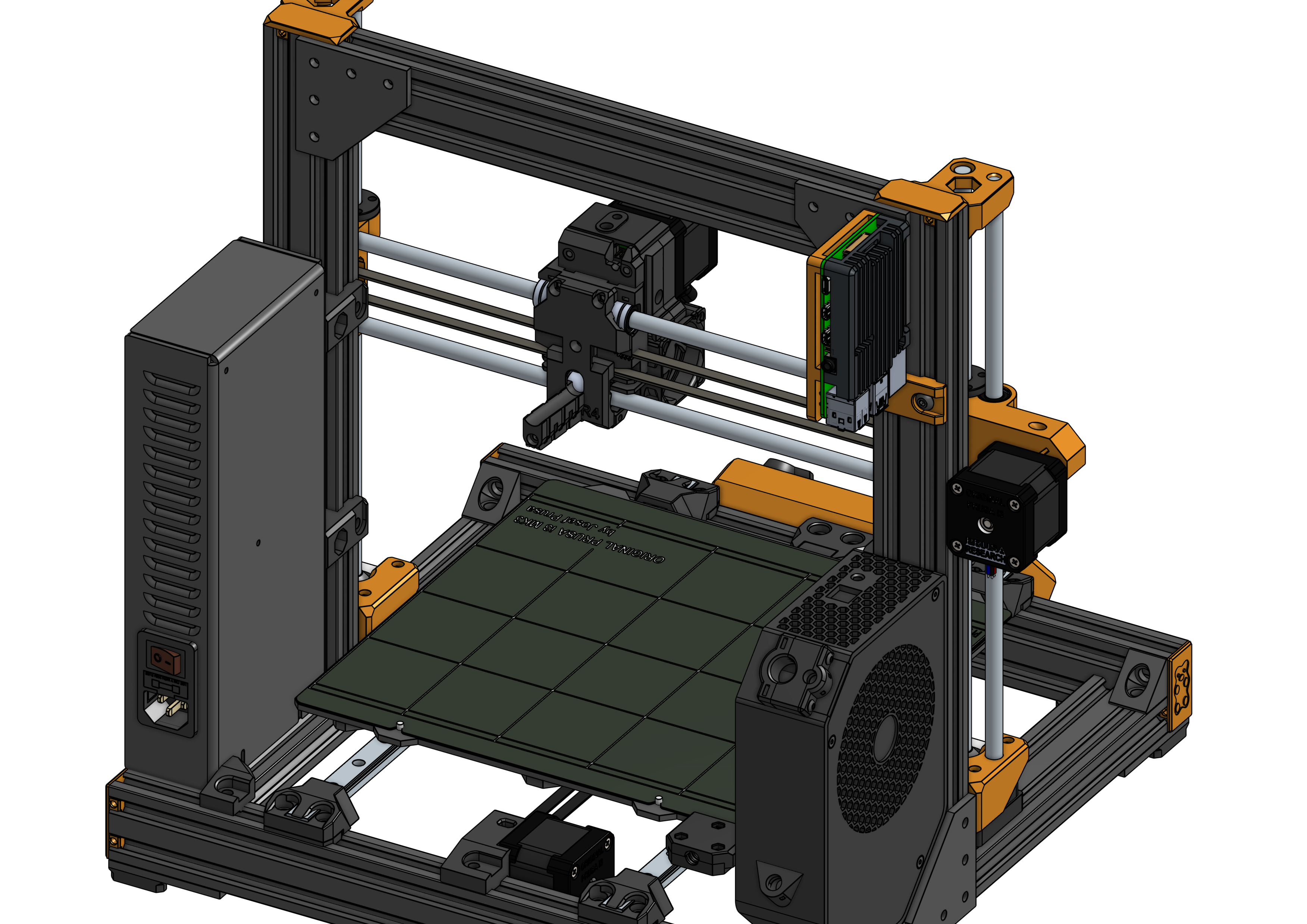
• Install the mount on the back side of the left vertical aluminum 40x20 extrusion (just above the electronics case) using the M5 bolt and T-nut. If you use a slide-in T-nut you will have to temporarily remove the top cap of the extrusion.
Print Settings
Print the part in the original orientation. The STL is pre-rotated for printing.
Use PETG or another material with a higher temperature resistance in case the Pi gets a little warm.
You can use the Bear print settings
• Material: PETG (or any solid material with decent heat resistance)
• Extrusion width: 0.45mm
• Layer height: 0.2mm
• Perimeters: 3 or 4
• Infill: 20%
• Solid layers: 4 or 5 top and bottom
• Supports: no
##
Post-Printing
The four M2.5 holes are floating counterbore holes. They're closed so that they can be printed without support. You need to poke them through using an M2.5 crew or a 2.5mm drill bit or anything pointy. It's just a single layer.
Additional Credits
• The Armor Case used for the illustrations and as a reference is by Ruslan Magomedov on GrabCAD.
Design and description by 6d6178 , licensed CC-BY-SA.
More 3D printed Raspberry Pi cases and mountsMore 3D printed Prusa accessories
Frequently asked
How long does shipping take?
Armor Case Raspberry Pi Mount for Prusa Bear is printed to order. Lead time is typically 1-3 business days plus 1-4 days NZ shipping. Standard NZ shipping is $10, free over $75.
What material is this printed in?
By default this is printed in High-Detail Resin (8K) at 0.025 mm layer height on an MSLA resin printer. Custom material and colour swaps are available, just leave a note at checkout.
Can I get this in a different colour?
Yes. Every product can be printed in any of the resin colours we stock, or hand-painted on request. Leave a note at checkout or email [email protected].
Do you ship outside of New Zealand?
Currently New Zealand only. Australian shipping is coming.
Who designed this?
Designed by an independent sculptor and licensed for commercial printing. The original is linked on this page.