Nozzle Cleaning Brush (Ender 5 S1 / 2020 Mount)
- Arrives in 2 to 7 business days Printed in Auckland. $10 shipping, free over $75
- 14-day faulty refund If it arrives broken or misprinted, we reprint or refund it
- Secure checkout Card payments handled by Stripe
- Material
- High-Detail Resin (8K)
- Colour
- Grey
- Weight
- ~10 g
- Express shipping
- $20
More information
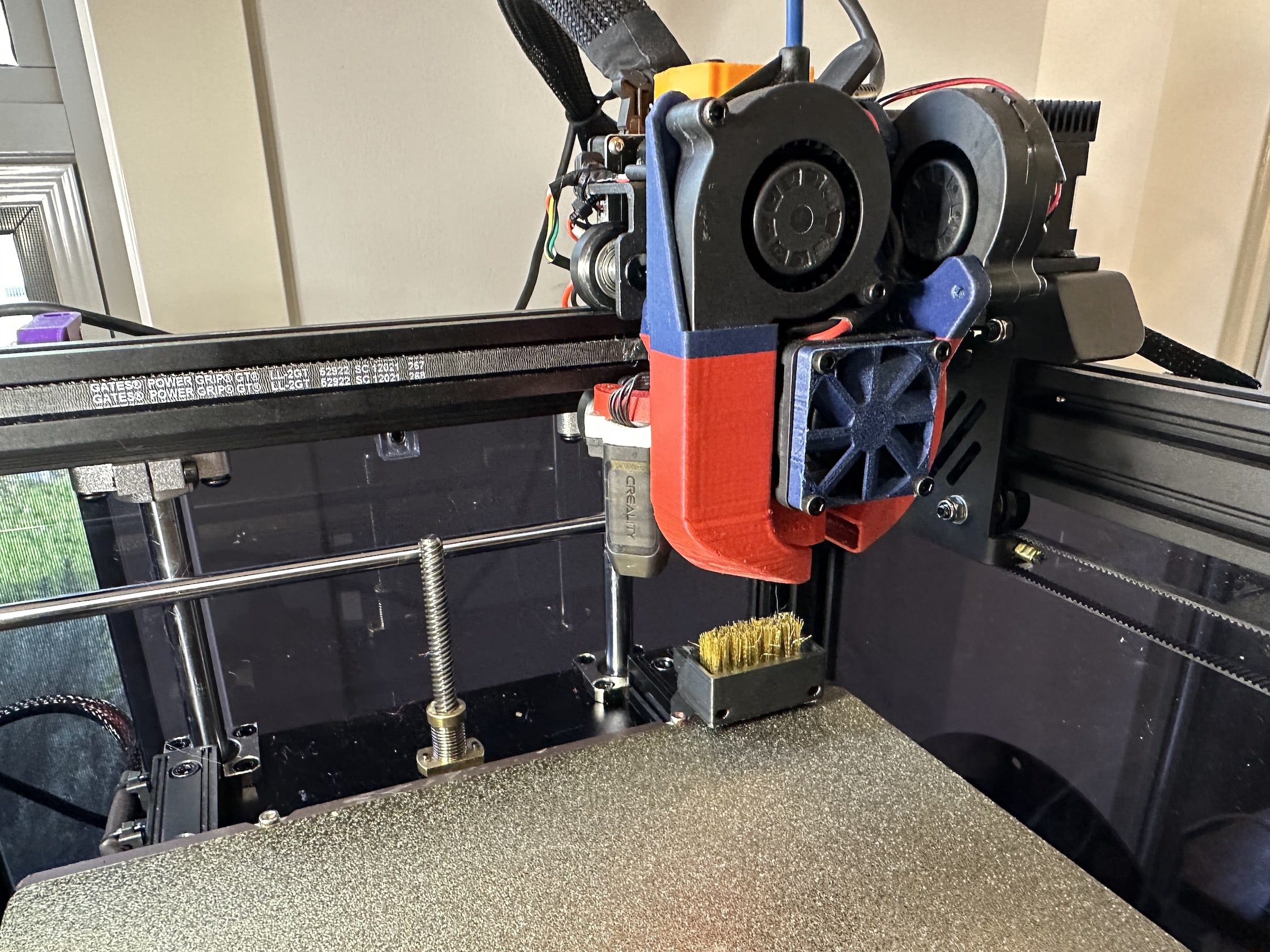
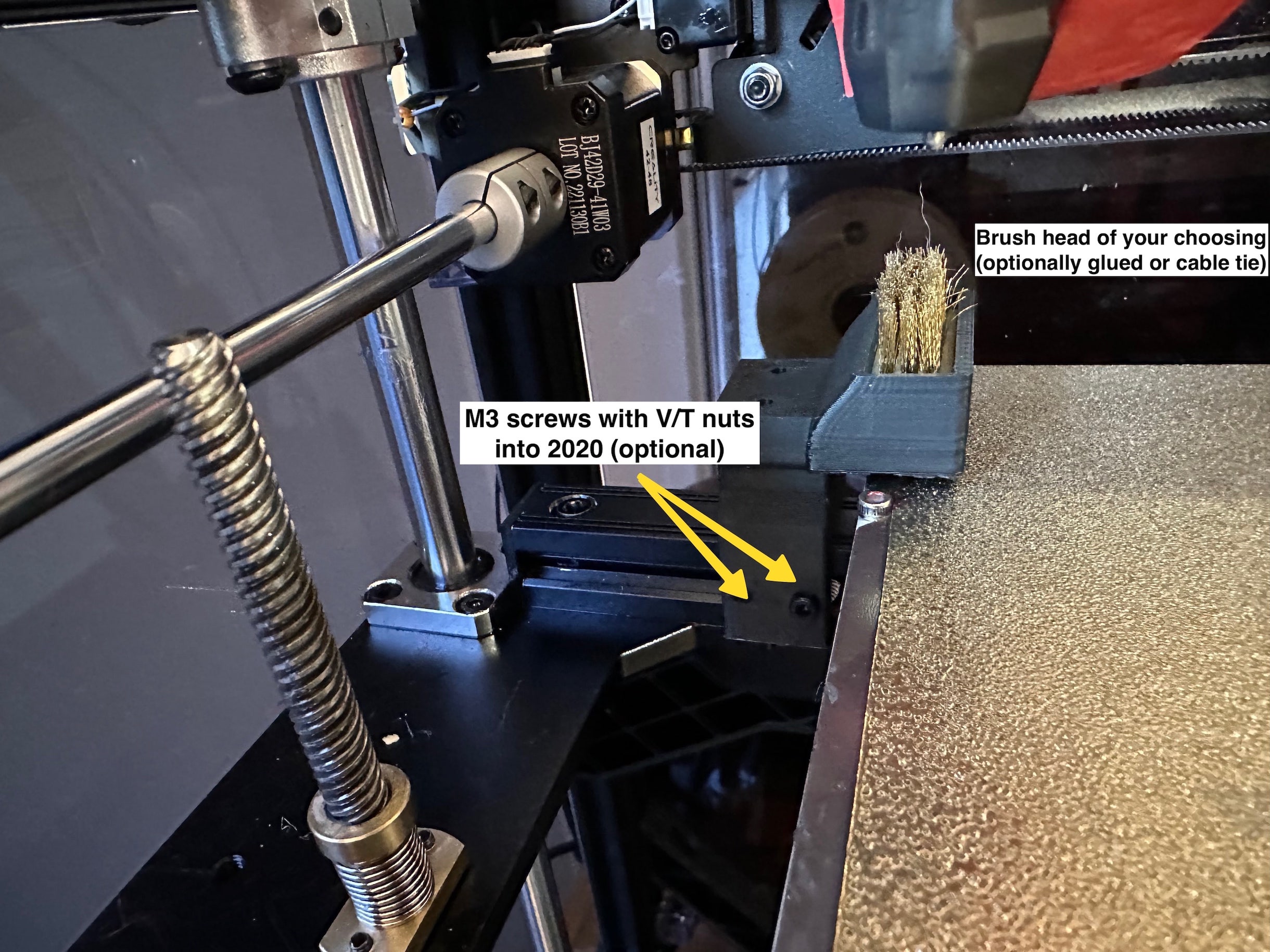
I wanted a nozzle cleaning solution for my Ender 5 S1 - this is the result.
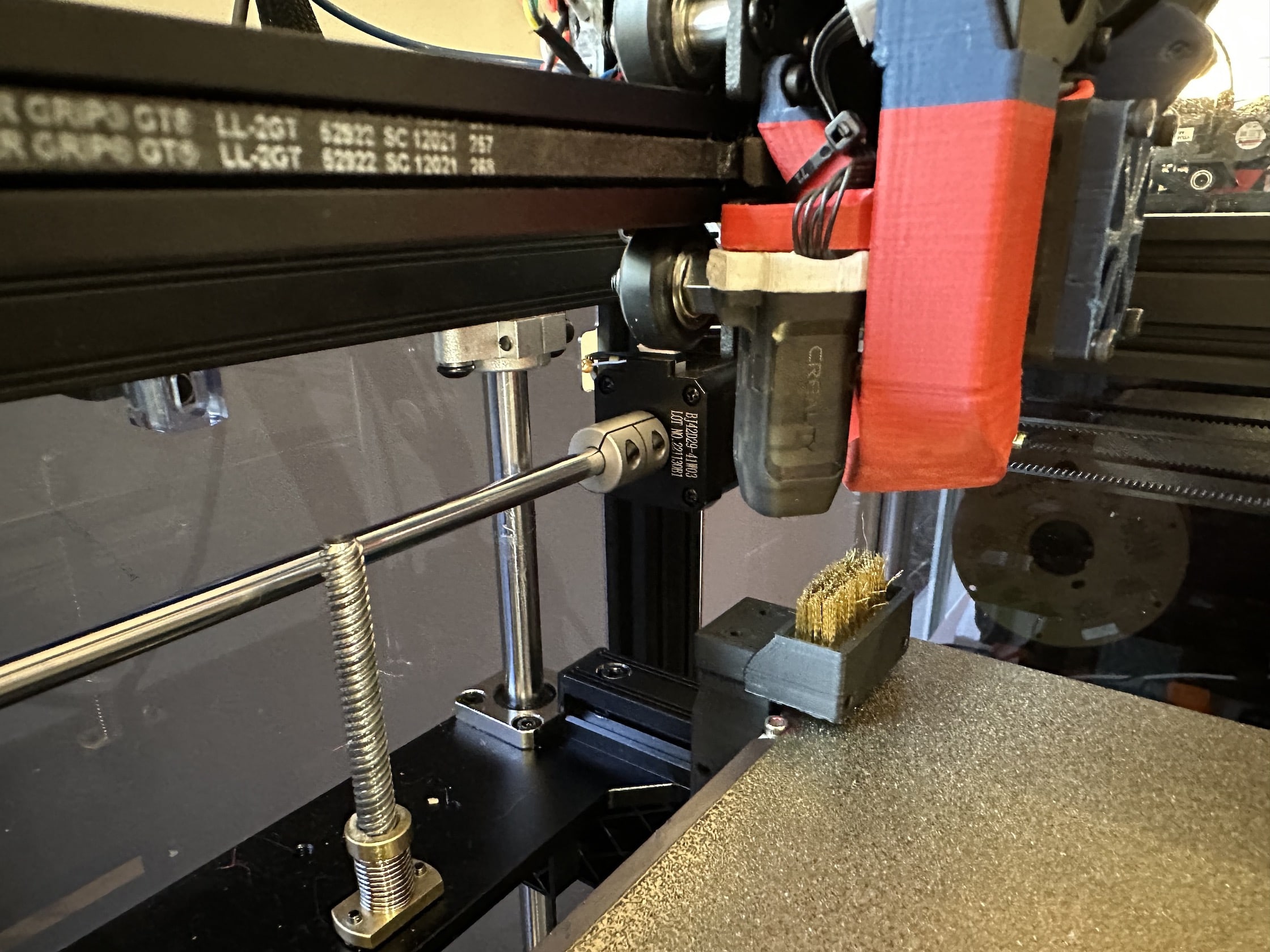
It mounts on the 2020 Z axis rail just over the edge of the rear right corner of the bed, you can snap it on to the 2020 rail or attach it properly with a couple of V-nuts.
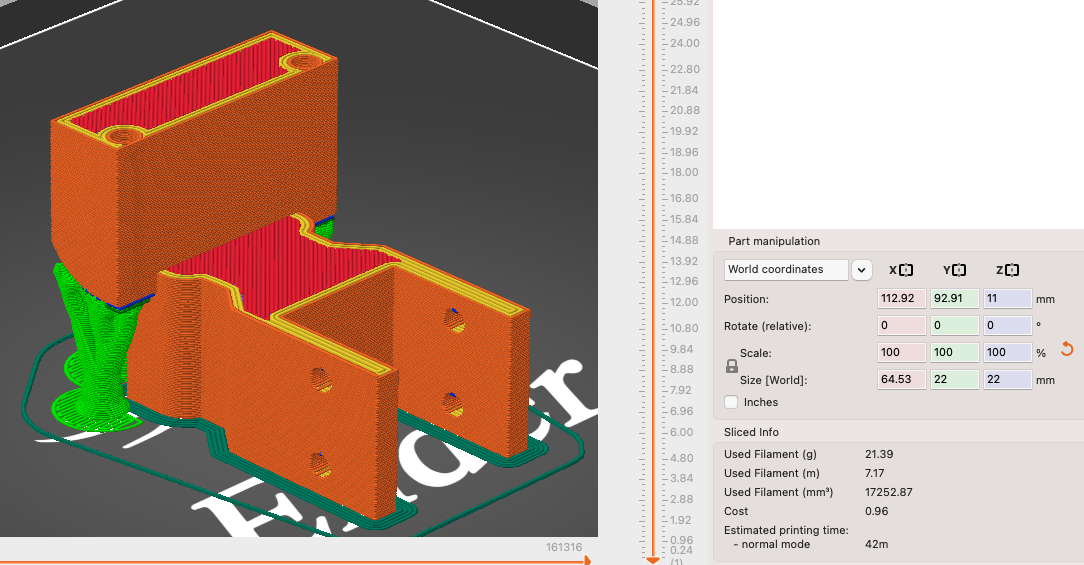
It weighs in at less than 22g (including supports) when printed in PLA.
You can use the head of one of those toothbrush shaped nozzle cleaning brushes - or really anything that's safe to use on a printer nozzle.
If the brush head doesn't fit in tight enough there are two M2 holes you can optionally use with small cable ties to hold the brush in if you don't wish to glue it down.
I've added two M3 holes on the top in case you want to mount something else on top (ADXL345, limit switch etc….).
I printed it with a 0.6mm nozzle, 0.24mm layer height, 3 perimeters and 15% infill which takes about 30 minutes to print on the Ender 5 S1 at medium speeds.
The model has been oriented for optimal printing using Tweaker3.
Cooling duct based on a design by NathanBuildsRobots.
---
Bed Meshing / Safe Homing
Depending on the mods you're running you'll need to tweak your bed_mesh to avoid hitting the brush.
These are my settings - but please find your maximum Y (or X) and configure for your setup - you can do so by placing a piece of paper on the bed where the brush would sit and tune your settings so that the nozzle / cooling doesn't reach the paper during meshing.
[safe_z_home] home_xy_position: 152,110 speed: 150 z_hop: 20 z_hop_speed: 10
[bed_mesh] speed: 180 mesh_min: 6,6 mesh_max: 180,190 probe_count: 10,10 fade_start: 1 fade_end: 10 fade_target: 0 algorithm: bicubic ...
All my printer configs are publicly available at in a Github repo, feel free to use them but remember - always tune for verify the safety for your own setup.
---
Nozzle Cleaning GCODE
Note: Edit and tune this for your own printer - don't copy verbatim!
Only use this as a reference, your X/Y/Z coordinates could be different and you may have different variables available.
##################################### # Nozzle Clean Macro # #####################################
# Origionally forked from https://github.com/rootiest/zippy-klipper_config/blob/master/extras/CLEAN_NOZZLE.cfg @ v1.5
# Sam's nozzle brush - 1.0 # https://www.printables.com/model/450432 # housing: X150, Y200, Z30 # brush: X180, Y210 -> 220, Z24
[gcode_macro CLEAN_NOZZLE] variable_start_x: 180 variable_start_y: 220 variable_start_z: 24 variable_end_x: 110 variable_end_y: 110 variable_end_z: 10 variable_end_z_use_current: False ; if True, use current Z position +2 (for safety) as end Z variable_wipe_axis: 'X' ; wipe side to side variable_wipe_dist: 30 variable_wipe_qty: 3 variable_wipe_spd: 50 variable_raise_distance: 30 variable_extruder_name: 'extruder' variable_extruder_temp: 0 # 180 variable_output: 118 variable_pre_hot: True variable_led_status: False variable_status_heat: 'STATUS_HEATING' variable_status_clean: 'STATUS_CLEANING' variable_ready_status: 'STATUS_READY' gcode: HOME_IF_NEEDED
# Get the current Z position {% set current_z = printer.toolhead.position[2] %} {% set nozzle_targ = params.TARGET|default(0)|float %} {% set is_hot = params.HOT|default(pre_hot|string) %} {% if is_hot|lower == "false" %} {% if led_status == True %} {status_heat} {% endif %} M{output} Heating extruder.. {% if nozzle_targ > 0 %} SET_HEATER_TEMPERATURE HEATER={extruder_name} TARGET={nozzle_targ} TEMPERATURE_WAIT SENSOR={extruder_name} MINIMUM={nozzle_targ} {% elif extruder_temp > 0 %} SET_HEATER_TEMPERATURE HEATER={extruder_name} TARGET={extruder_temp} TEMPERATURE_WAIT SENSOR={extruder_name} MINIMUM={extruder_temp} {% endif %} {% endif %} G90 ; absolute positioning
Raise nozzle
G1 Z{raise_distance}
Move nozzle to start position
G1 X{start_x} Y{start_y} F6000 G1 Z{start_z} F1500 # Set lighting {% if led_status == True %} {status_clean} {% endif %}
Wipe nozzle
RESPOND TYPE=command MSG="Wiping nozzle" M{output} Wiping nozzle.. {% for wipes in range(1, (wipe_qty + 1)) %} {% if wipe_axis|lower == 'x' %} G1 X{start_x + wipe_dist} F{wipe_spd * 60} G1 X{start_x} F{wipe_spd * 60} {% elif wipe_axis|lower == 'y' %} G1 Y{start_y + wipe_dist} F{wipe_spd * 60} G1 Y{start_y} F{wipe_spd * 60} {% else %} M{output} INVALID WIPE AXIS CONFIGURATION {% endif %} {% endfor %}
Raise nozzle, then move to end X/Y position
G1 Z{raise_distance} G1 X{end_x} Y{end_y} F6000
# Set end Z position {% if end_z_use_current == True %} {% set end_z = current_z + 2 %} {% endif %}
# Move to end Z position G1 Z{end_z} F1500
# Turn off extruder if needed {% if is_hot|lower == "false" %} M{output} Cooling extruder.. SET_HEATER_TEMPERATURE HEATER={extruder_name} TARGET=0 {% endif %}
# Set lighting {% if led_status == True %} {status_ready} {% endif %}
M{output} Completed nozzle wipe
Design and description by Sam McLeod , licensed CC-BY-SA.
Frequently asked
How long does shipping take?
Nozzle Cleaning Brush (Ender 5 S1 / 2020 Mount) is printed to order. Lead time is typically 1-3 business days plus 1-4 days NZ shipping. Standard NZ shipping is $10, free over $75.
What material is this printed in?
By default this is printed in High-Detail Resin (8K) at 0.025 mm layer height on an MSLA resin printer. Custom material and colour swaps are available, just leave a note at checkout.
Can I get this in a different colour?
Yes. Every product can be printed in any of the resin colours we stock, or hand-painted on request. Leave a note at checkout or email [email protected].
Do you ship outside of New Zealand?
Currently New Zealand only. Australian shipping is coming.
Who designed this?
Designed by an independent sculptor and licensed for commercial printing. The original is linked on this page.